


Welcome to Bunkor
Your secure workspace for file sharing, communication, and collaboration.
You're all set — let’s get you up and running in just a few minutes.
Quick Start Checklist
Follow these steps to start using Bunkor securely and effectively:
Step 1. Add Your Name & Company
This ensures recipients recognize who secure messages and files are coming from — building trust and improving response rates.
How to set it up:
- Go to My Profile → add your name
- Go to Branding Settings → add your company name


2. Set Up Your Password Wallet
Securely manage passwords used for file sharing and access.
How to set it up:
- Go to Password Manager
- Click Create New Wallet and name it, i.e. "My Wallet"
- Set your master password


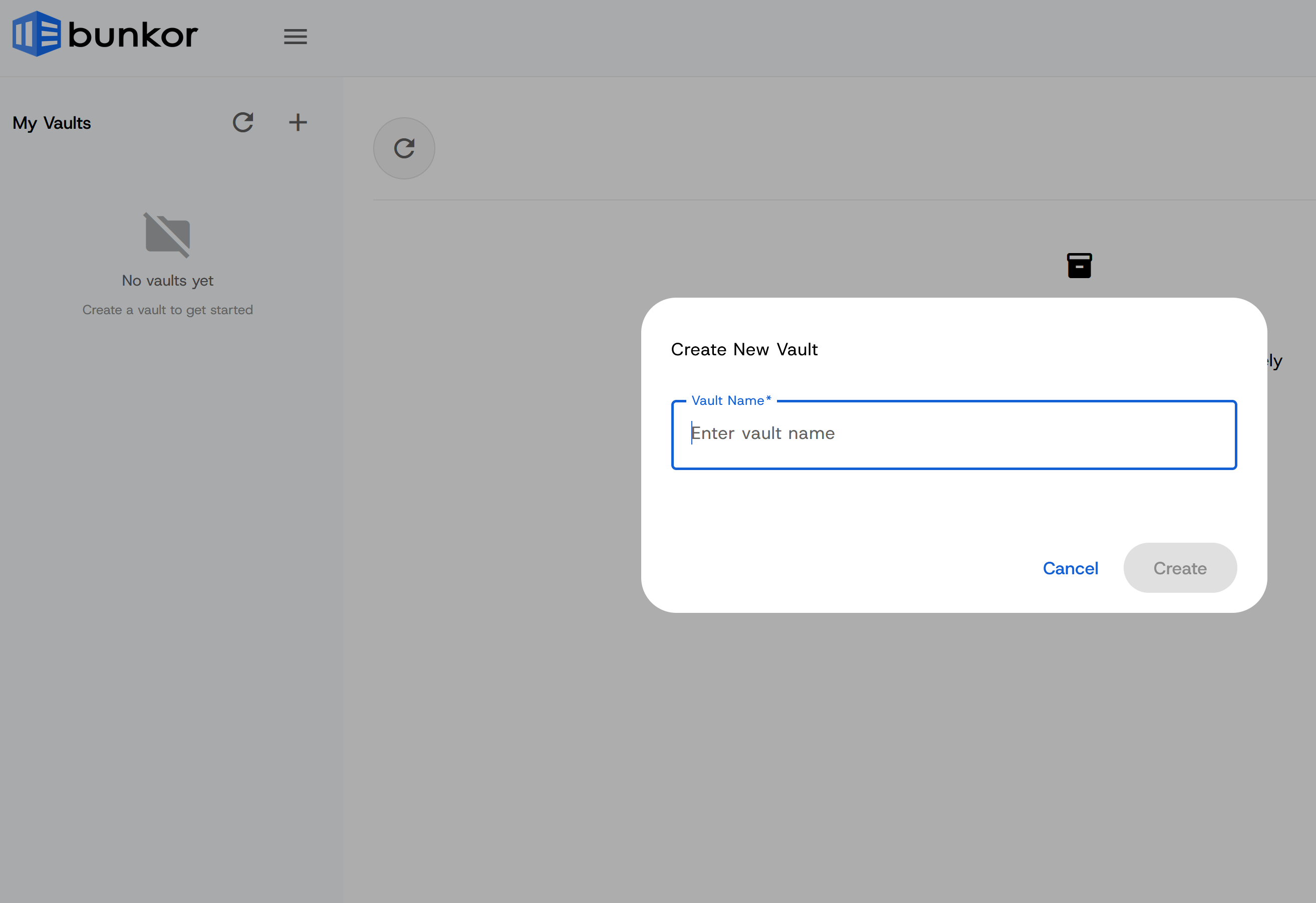
3. Create Your First Vault
Vaults are where your encrypted files live. Think of them as secure folders for organizing documents, client files, or patient records.
What to do:
- Click "New Vault"
- Name it (e.g., Client Files, Patient Records, HR Documents)
- Add folders to stay organized
- Upload your files to the vault's folders

4. Send Your First Secure Message or File
Instead of email attachments, Bunkor keeps everything encrypted and secure.
Try this:
- Send a secure message
- Share a file or folder
- Generate a secure link


5. Use Share Links or File Drop Pages
Easily collaborate with clients, patients, or external partners — even if they don’t have a Bunkor account.
You can:
- Share files securely via link, on a file or folder click "Actions", then "Share Link"
- Request uploads from others
- Set passwords, expiry dates, or access controls
- Manage share links, by clicking "Share Links" at the top menu

Using Bunkor for Healthcare or Sensitive Data?
Bunkor supports HIPAA-ready workflows, including Business Associate Agreements (BAA).
If you require a BAA or have compliance questions, we’re here to help.
✉️ Contact us anytime.

💬 Need Help Getting Set Up?
We’re happy to walk you through everything.
📞 Book a quick call:
Schedule using the link below, or simply reply to any email — we’ll get back to you quickly.
Frequently Asked Questions
Have questions? We've got answers to help you get started with Bunkor.
Chat with us
Have questions? We're here to help. Connect with our team for personalized assistance and discover how Bunkor can streamline your cybersecurity.
Follow us


Protect Your Business Today
With the average cost of a data breach reaching $4.24 million, investing in a reliable cybersecurity solution is not just prudent—it's essential. Bunkor empowers your business with the tools needed to protect one of its most valuable assets: its data.